Reaper: Architecture, Configuration, and Workflows in Contemporary Music Production
Technical analysis of Reaper DAW: from initial setup and audio capture to advanced processing and export, optimizing creativity.
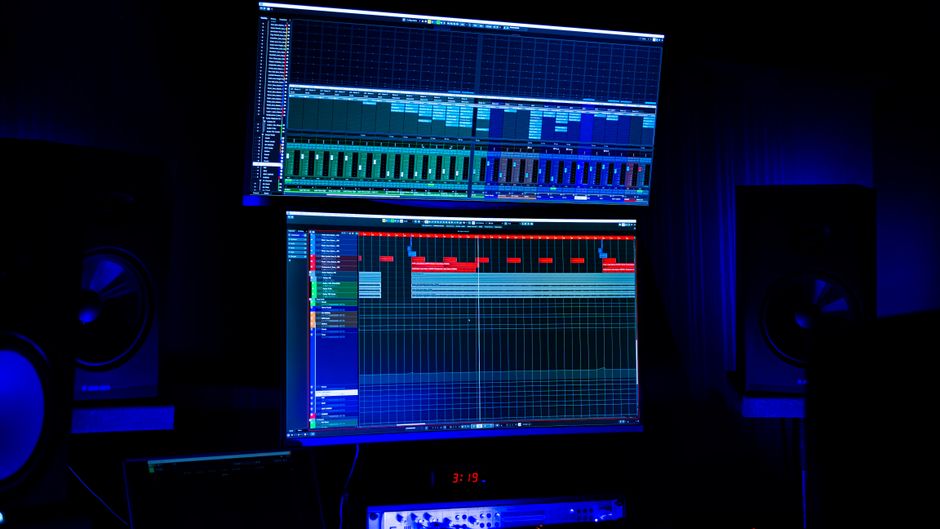
Initial Configuration and Customization of the Work Environment
Reaper, a highly versatile Digital Audio Workstation (DAW), has established itself as an essential tool for music producers and sound engineers worldwide. Its efficient architecture and customization capabilities position it as a robust alternative to other platforms, enabling users to establish an optimized workflow for any project, from composition to final mixing. This text analyzes methodologies for maximizing Reaper’s potential in contemporary production, covering everything from initial setup to final export.
The initial configuration of the work environment in Reaper is a crucial step for ensuring optimal performance. Installing ASIO drivers is recommended for achieving low latency, which is essential in professional studio environments. The highly customizable user interface allows each producer to create a workspace tailored to their visual and operational preferences. By assigning keyboard shortcuts and creating Custom Actions, workflows are streamlined, reducing time and enhancing creativity. This flexibility is particularly valuable in a sector where efficiency is key to maintaining competitiveness and adaptability across diverse projects, from tango recordings to electronic music productions. For more information on the platform, visit its official website at https://www.reaper.fm/.
Capturing and Editing Sound Material: Audio and MIDI
Capturing sound material in Reaper is characterized by its robustness and versatility. Multitrack recording, take comping, and loop recording are intuitive processes that facilitate the acquisition of precise performances, ideal for orchestral ensembles or live band sessions. In MIDI editing, the platform offers precise tools for quantization, time correction, and performance humanization, enabling the creation of detailed rhythmic and melodic sequences. For audio editing, functions such as cutting, time stretching, and pitch correction (via ReaTune or external plugins) provide granular control over tracks. The implementation of remote collaborative workflows, increasingly prevalent in today’s industry, is facilitated by exporting stems and synchronizing projects, a vital aspect for geographically dispersed production teams.
In the realm of processing and mixing, Reaper provides a suite of high-quality native tools (ReaPlugs). ReaEQ allows precise control of the frequency spectrum, while ReaComp offers versatile compression, ideal for adding punch to drums or controlling vocal dynamics. ReaVerb and ReaDelay add spatial and temporal dimension to mixes. Routing flexibility is one of its greatest strengths, enabling parallel processing (e.g., parallel compression) and the creation of complex effect buses. Parameter automation is a fluid process, essential for adding movement and life to mixes. The integration of third-party VST/AU plugins vastly expands sonic capabilities, including artificial intelligence tools that assist in mixing and mastering tasks, optimizing the processing chain and opening new creative possibilities, as observed in current audio engineering trends.
Processing, Mixing, and Parameter Automation
The final phase of production involves exporting the project. Reaper offers extensive rendering options, allowing the selection of file formats (WAV, FLAC, MP3), sample rates, and bit depths suitable for various purposes. Generating individual stems is crucial for external mastering or collaborations. It is essential to adhere to loudness standards (LUFS) established by streaming platforms like Spotify or Apple Music, ensuring productions compete effectively in the digital market. The evolution of music distribution demands an understanding of these parameters to guarantee the final audio quality and its consistency across different platforms. A useful resource for understanding these standards is Spotify’s documentation for artists: https://artists.spotify.com/en/help/article/audio-mastering-specifications.
Reaper, with its open architecture and active community, constitutes an exceptionally powerful platform for modern music production. Its adaptability to user needs, combined with a robust toolset and integration of emerging technologies, establishes it as a competitive choice for any producer, from amateur to professional. Mastering its use requires constant practice and continuous updating on the latest audio trends, enabling producers to achieve professional results and contribute to the contemporary soundscape, whether from a home studio in Buenos Aires or a commercial studio anywhere in the world.
Related Posts

Crest Factor: Quantifying Dynamics and Density in Modern Audio Engineering
Technical analysis of the peak-to-RMS ratio, its impact on perceived loudness, and optimized management for streaming platforms.

Multiple Microphones in Choral Recording: Capture and Spatial Processing Techniques
Analysis of stereo, support, and ambient microphone configurations for detailed and immersive sonic reproduction of choirs.
Spatial Audio and AI: Convergence for Immersive Mixed Reality Environments
Exploring the fusion of dynamic spatial audio and AI for unprecedented mixed reality experiences.

Headphone Mixing Optimization: Strategies, Calibration, and Emerging Technologies
Overcome headphone mixing limitations with calibration, acoustic simulation, and advanced processing techniques.